Weather for landscape photographers
Plan around light, not temperature.
Golden hour, blue hour, fog and tides for the places you shoot, on one timeline.
 Free. Fog, tides and alerts with Sól Pro.
Scroll, and the timeline moves with you
Good light tomorrow?
Thursday, before dawnBlue hour, then golden hour from 7:18
Every light of the morning on one timeline, with the weather and the fog chance drawn on top. Mendocino Headlands, 5:45 to 7:20.
Which light is this?
Blue hour, 6:05 to 6:26 am
Tap a light above the dates for what it is, when it falls today and what it suits. Golden hour, civil twilight, deep blue and astro twilight work the same way.
Mist at dawn?
89% humidity · Near saturation
Tap a reading for its whole day on a chart and what the number means: here, dew and mist are possible, especially at dawn.
Worth getting up for?
Excellent · landscapes and silhouettes
On iPhones with Apple Intelligence, Sól rates the light for photography, says why, and suggests what to shoot.
Fog at sunrise?
38% · Fair chance
PROTap the fog line and the chart rises. Chances account for the terrain and are calibrated against real fog reports: 30% means fog about three times in ten.
And the tide?
Rising through golden hour
PROTide height and turning points for the same hours, on the same timeline as the light.
When does the Sun clear the ridge?
7:28 am, with shadows in 3D
The Light tab maps the terrain around your spot. Zoom out, turn the map, scrub past the crossing and watch the shadows leave the headland.
When's the next good light?
Golden hour at 4:38 pm
When nothing special is on, Sól names the next light. Tap it and the timeline glides there.
Will the clouds catch the light?
60% high cloud, none below
Tap the sky for cloud at three heights. Middle and high cloud can catch sunrise and sunset colour.
Tell me when it lines up
8 matches in the next 10 days
PROStart from a recipe like Golden-hour fog and save it. Sól tells you when the forecast lines up, and withdraws the alert if it changes.
In my calendar?
Blue Hour Shoot, 6:05 to 6:35 am
One tap drafts the event for the light you're looking at, with the forecast in its notes.
How much moon?
Waning crescent · half lit
Tap the moon for its height through the day, its phase, and when it rises and sets.
What do the colours mean?
The Field Guide shows you
Every reading, light and recipe is explained in the Field Guide, and Show Me points to it on the screen.
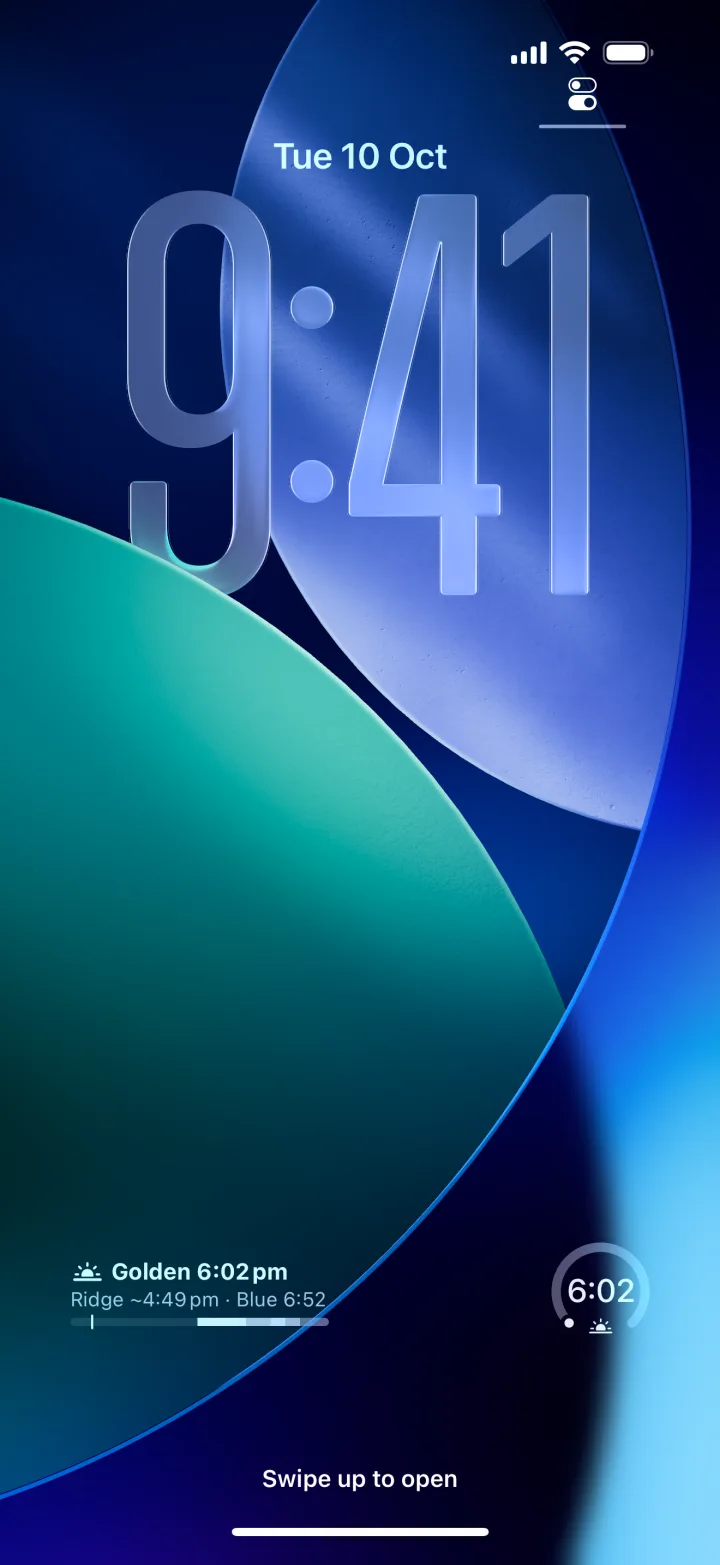
Right on your Home Screen. Even on your Lock Screen.
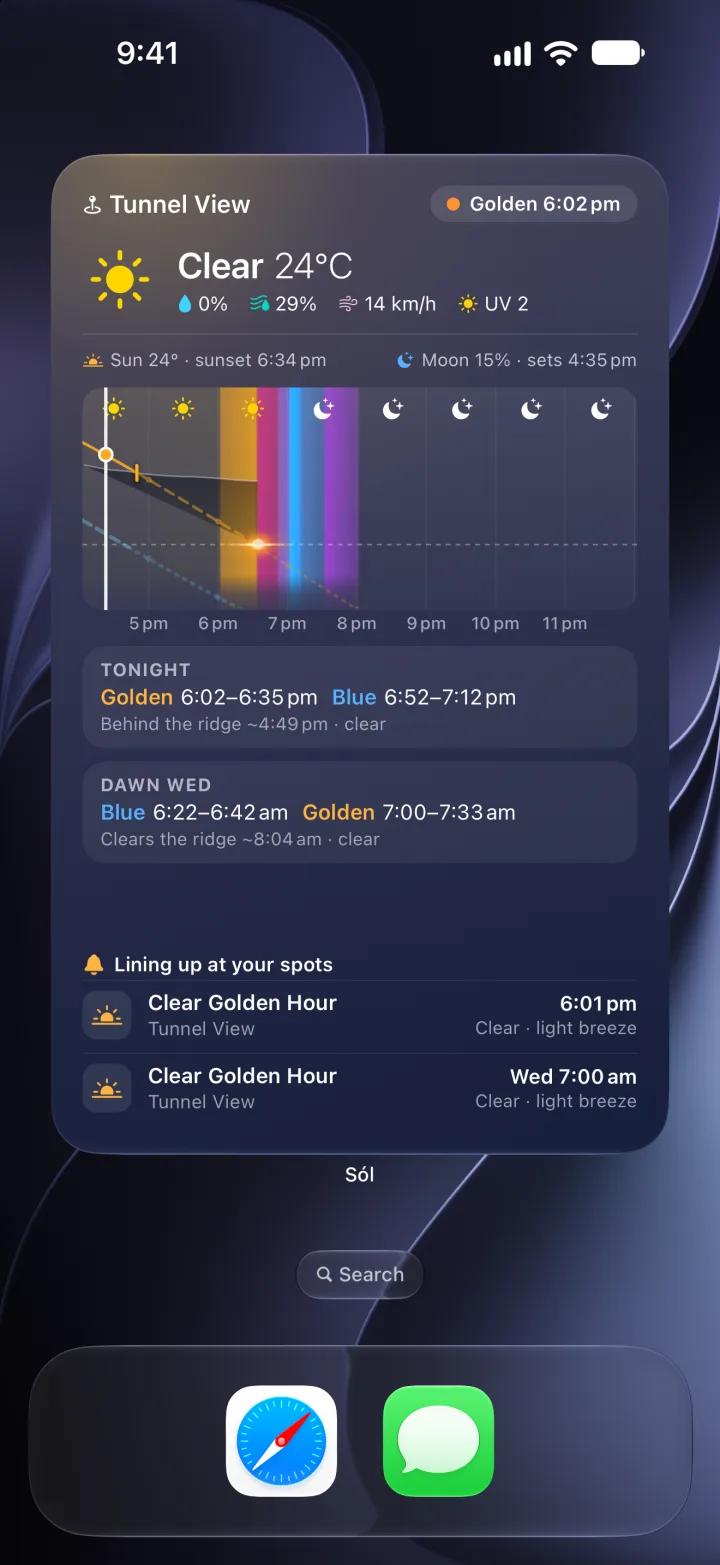
The next light at a spot, tonight and the next dawn side by side, a week of dawns and dusks, and on iOS 27 a full-page Light Page.
Free to plan with. Pro for fog, tides and alerts.
Free
- Every light of the day on one timeline
- Weather from Apple Weather and other sources
- Sun and moon on a 3D map, with the ridge
- Saved spots, widgets and Light Page
Sól Pro PRO
- Fog chances, calibrated against real fog reports
- Tides
- Alerts when your conditions line up
- Monthly or yearly, through the App Store
Don't guess. Plan your shoot.